Practical Technology Education for Everyday Life

From Technology Frustration to Digital Confidence.

Talk Tech With Chet helps older adults use today’s technology with greater confidence, safety, and independence—through patient, step-by-step lessons built around real life.

Already a member? Open the TTWC App.

  • 29 practical classes
  • Learn at your pace
  • Safety built in
  • Human support
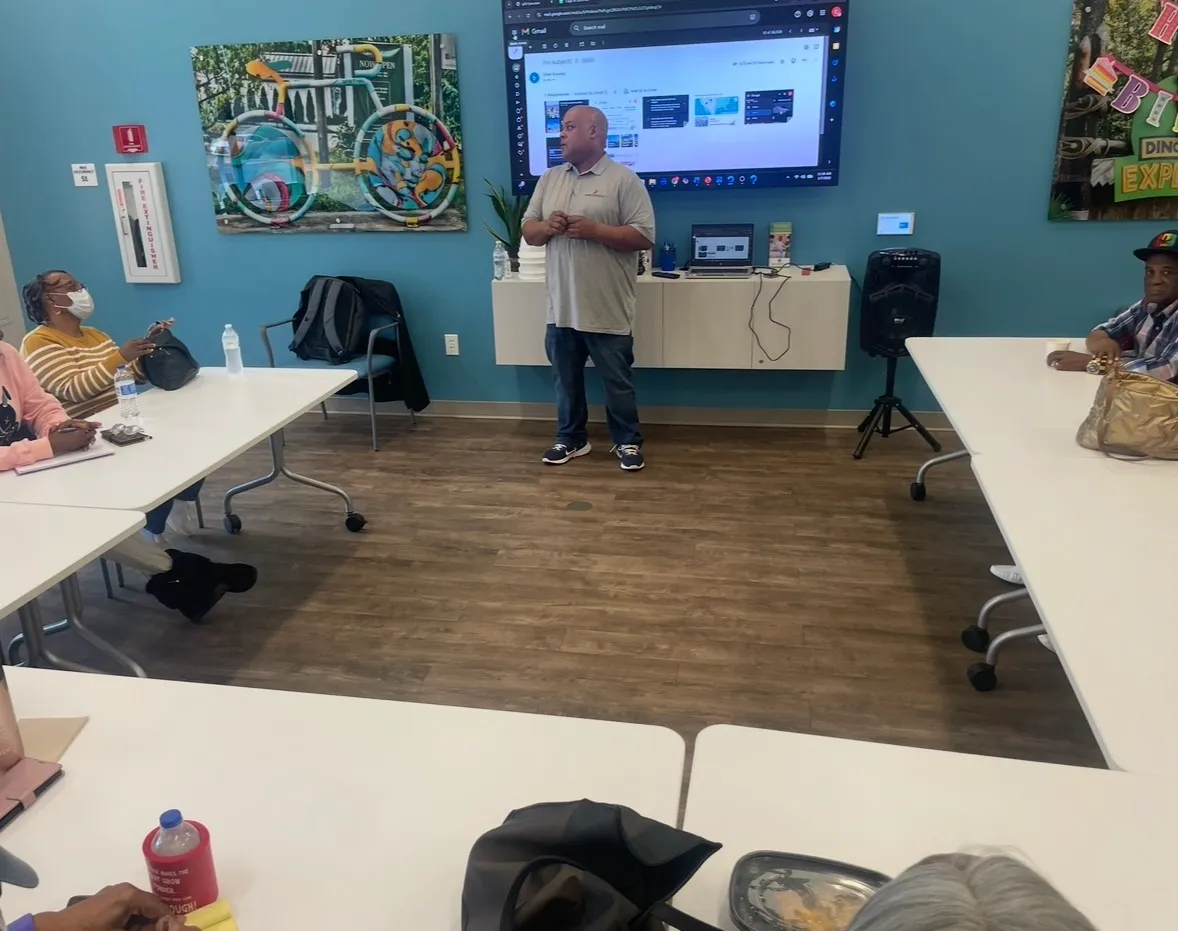
Chet Beasley teaching a class, standing at a screen while participants follow along at tables.
  • 20 years

    Law-enforcement experience

  • 29 classes

    Real-life digital skills

  • Any device

    Phone, tablet, or computer

  • Community-delivered

    Including City of South Fulton programming

Why this matters

Older adults are online. The question is whether the technology is usable.

Banking, healthcare, transportation and government services have moved onto screens. Being connected is no longer the hurdle — using what is there with confidence, and recognizing what is not trustworthy, is.

90%

of U.S. adults age 65 and older reported using the internet

Published research U.S. adults age 65+. Pew Research Center, 2025.

75%

of adults age 50–80 reported a scam attempt

Published research U.S. adults age 50–80, in the previous two years. University of Michigan National Poll on Healthy Aging, 2025.

83%

of adults age 50–80 said they wanted to know more about protecting themselves from scams

Published research U.S. adults age 50–80. University of Michigan National Poll on Healthy Aging, 2025.

Why Talk Tech With Chet

Technology education built around how older adults actually live and learn.

Instructions for almost anything exist somewhere online. What is harder to find is someone who will go at your pace, explain why a step matters, and still be there next week.

  1. Step-by-step

    Nothing assumes you already know the words. Terms are explained the first time they appear, steps are shown in order, and nothing is skipped for being obvious.

  2. Real-life skills

    Every lesson connects to something you actually do: talking to family, managing a prescription, paying a bill, getting a ride, keeping an appointment.

  3. Safety-first

    Scam awareness, passwords, account security and knowing what to do afterwards are taught throughout — not saved for a single warning at the end.

  4. Continued support

    Lessons stay available to replay, alongside a glossary and downloadable cheat sheets, so learning does not stop the moment a video ends.

What you’ll learn

29 classes, organized into practical areas.

You do not have to work through them in order. Start with whatever is causing trouble this week, and come back for the rest when you are ready.

Explore the class library

Talk Tech With Chet in action

What a session actually looks like.

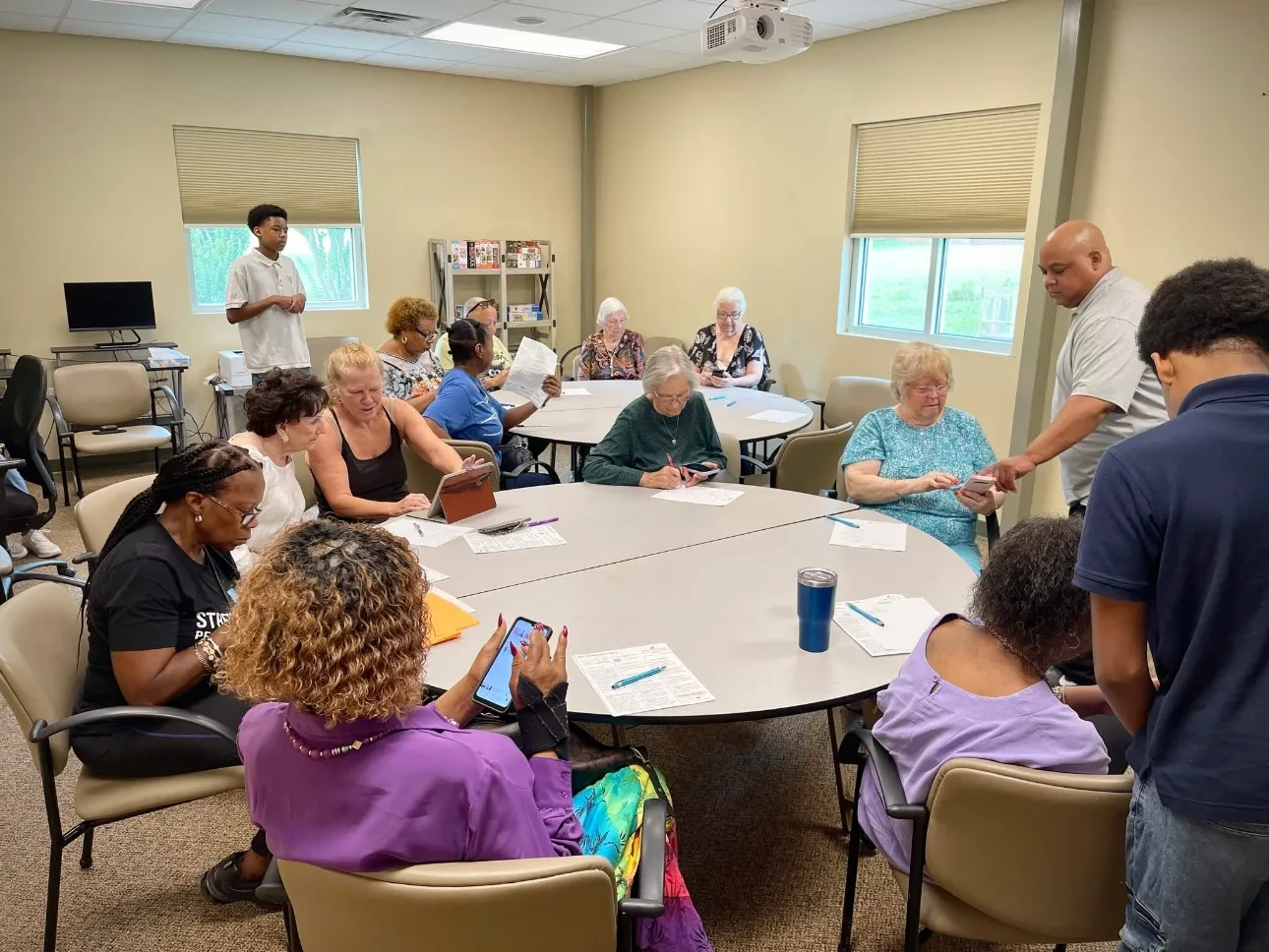
Small groups, real devices, and time to ask the question twice. These photographs are from Talk Tech With Chet sessions with real participants.

  • A Talk Tech With Chet participant working on a smartphone with step-by-step guidance.
  • A well-attended Talk Tech With Chet session hosted with a community partner organization.
  • Participants at a Talk Tech With Chet session in a second venue, using phones alongside printed handouts.

Measured in the community

What happened when we ran the program with the City of South Fulton.

Two cohorts of older adults completed Talk Tech With Chet as part of a City of South Fulton program. Here is what the pre- and post-program assessments measured.

20

older adults completed the program

Program record City of South Fulton pilot participants. Bridging Technologies ATL program records, 2026.

2

cohorts delivered

Program record City of South Fulton pilot. Bridging Technologies ATL program records, 2026.

3.34 → 4.21

average self-reported confidence across seven assessed skills

Participants rated their own confidence before and after the program. The pilot was small and does not establish that all future Talk Tech With Chet participants will experience identical outcomes.

Self-reported by participants 20 South Fulton pilot participants. Pre- and post-program participant assessments, 2026.

11.95 / 12

average objective knowledge score, unchanged before and after

Participants began with exceptionally high objective knowledge, creating a ceiling effect on this measure — there was very little room for the score to rise. The change the pilot did show was in self-reported confidence.

Objective assessment 20 South Fulton pilot participants. Pre- and post-program knowledge assessments, 2026.

A Talk Tech With Chet session delivered as part of the City of South Fulton program.

From the classroom

Real words from people who learned with Talk Tech With Chet.

Before joining this class, navigating a smartphone felt overwhelming. Your patient step-by-step approach completely transformed my experience.

Yvonne J.South Fulton TTWC Participant

I learned functions on my iPhone that I never knew existed before. I also learned more about keeping safe from online scams.

Sharon J.South Fulton TTWC Participant

What once seemed overwhelming has become both manageable and enjoyable.

Belinda B.Community Technology Class Participant

Choose your path

Two ways to start.

For individuals & families

Learn at your own pace.

Full access to the class library, on whatever device you already use, with no schedule to keep up with.

  • 29 classes covering everyday technology
  • Video instruction you can replay any time
  • A downloadable glossary and cheat sheets
  • Chet’s Tech Bytes and a guided tour of the app
  • Ask Chet for questions between lessons
  • Works on a phone, tablet or computer
  • Monthly or annual access
  • Annual access can be purchased for someone else
See Pricing

For communities & organizations

Bring structured digital-confidence education to the people you serve.

Programs for cities and counties, healthcare, senior living, libraries, nonprofits and community organizations.

  • Live cohorts and workshops
  • Between-session reinforcement
  • Participant materials
  • Scam awareness and digital safety
  • Program measurement and reporting options
Discuss a Program

Membership

Choose the access that works for you.

Both plans include full access to the TTWC class library and included member resources.

Monthly Access

$12.99 per month

Flexible month-to-month access. Full access to the TTWC class library and included member resources.

Start Monthly Access

Checkout and your classes are hosted on Kajabi, our course and subscription platform. You will finish signing up there, and that is also where you sign in afterwards.

Chet Beasley teaching a class, standing at a screen while participants follow along at tables.

Who teaches these classes

Chet Beasley

Founder of Bridging Technologies ATL · Creator and instructor, Talk Tech With Chet

We don’t just teach technology. We build the confidence to use it in everyday life.

Technology education should be patient, practical, welcoming, jargon-free, and connected to real-life needs. People should leave with skills they can use — not merely information they heard.

  • 20 years in law enforcement

    Two decades of professional experience recognizing how fraud is attempted and how people are targeted.

  • Experience teaching older adults

    Classes and workshops delivered directly to older adults, in person, at their pace.

  • Digital safety experience

    Scam awareness and everyday online safety taught as part of ordinary technology instruction, not as a separate warning.

  • Community program experience

    Structured programming delivered with community partners, including the City of South Fulton.

Common questions

Questions people ask before they start.

I have very little technology experience. Will this be too fast?

No. Every class starts at the beginning and assumes nothing. Terms are explained in plain language the first time they appear, and nothing is skipped because it seems obvious.

Lessons are recorded, so you can pause, rewind and watch a step again as many times as you need. Nobody is waiting on you.

Do I have to be online at a set time?

No. Every class is recorded and available whenever you want it, so there is no schedule to keep up with and no session to miss.

You can stop in the middle of a lesson, come back the next day and pick up where you left off.

What device do I need?

A phone, a tablet or a computer — whichever you already have. Classes cover both iPhone and Android, and you can start with the device you use most.

You do not need to buy anything new to begin.

Does Talk Tech With Chet cover scams and online safety?

Yes. Safety is taught throughout rather than saved for one lesson: recognizing scam messages, creating and managing passwords, and telling reliable information from misleading information.

Chet spent 20 years in law enforcement, and that experience shapes how these classes are taught.

Read all questions

One connected system

Part of the Bridging Technologies ATL ecosystem

Bridging Technologies ATL builds on one philosophy — Seniors First. Families Always. Talk Tech With Chet is where you learn. These are the parts that support what you learn once the class is over.

  • Learn

    Talk Tech With Chet

    Structured, step-by-step technology classes built around everyday life.

    You are here

  • Get support

    Ask Chet

    An approachable AI assistant for everyday questions that come up between lessons.

    Visit Ask Chet
  • Protect

    180Angles

    Scam awareness, scam review and alerts, for the moments when something does not look right.

    Visit 180Angles
  • Explore

    Bridging Technologies ATL

    The parent company behind Talk Tech With Chet and the wider digital-confidence work.

    Visit Bridging Technologies ATL